Streams and overlaysPro and up
The stage timer on your stream, with no black box around it
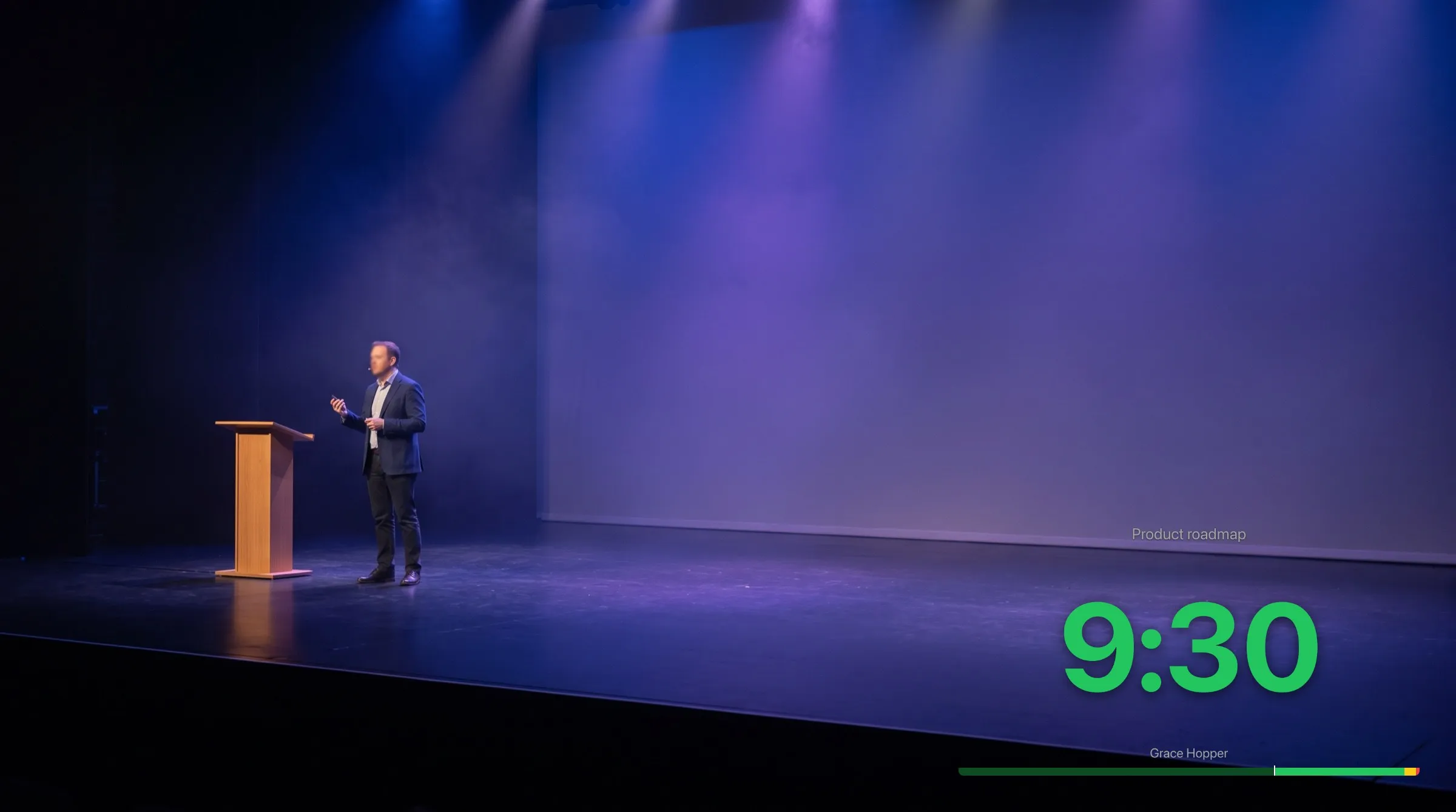
OBS Studio and vMix show a web page in a scene as a browser source. Give one the link of a room's Timer, and the countdown, its wrap-up colours, and the messages you send appear in the stream, on the same second as the screens on stage. On Pro and up, the link can ask for no background at all, so only the timer is laid over your video.
One link
Tick one box, paste one link
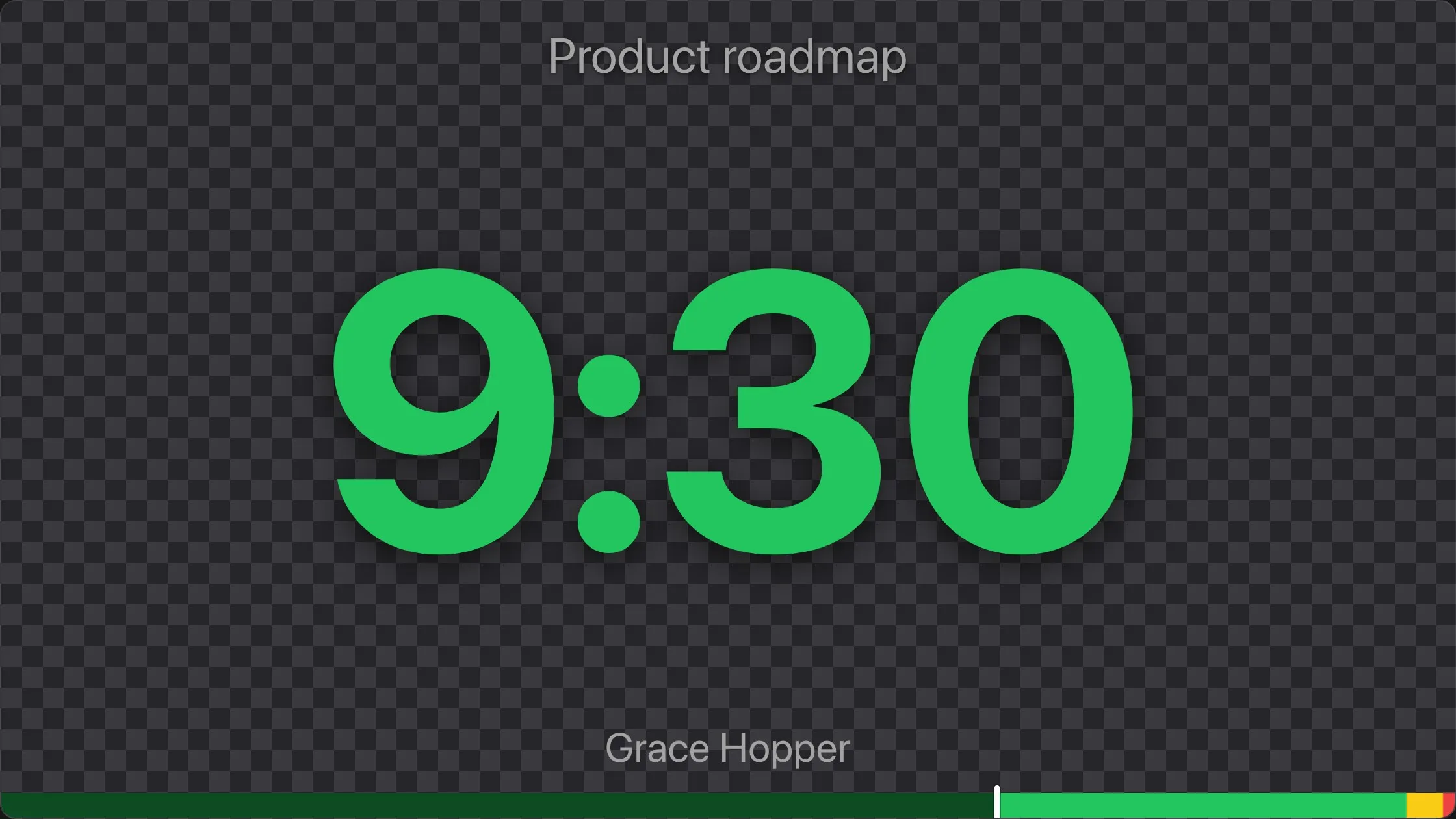
In the controller, choose Links, then the Timer card. Under Options, tick Transparent background: the picture above it turns to the grey checks image editors use for no background, and the link gains background=transparent.
Copy the link, and in OBS add a Browser source with it as its URL, 1280 by 720 for a 16:9 picture. The same link works in vMix and in any video tool that takes a web page as a source. It needs no account, and counts as one of the room's screens.

On your video
Only the timer, its bar, and the message
The transparent Timer paints no background: the digits, their green, yellow, and red, the progress bar, the message you send, and your logo are drawn as they are on stage, and the rest of the page is clear. The text carries a soft shadow and the bar's track is see-through, so they read over a bright picture.
It draws nothing else over the stream: no corner buttons, no Enable sound button, and no request to go fullscreen. It never chimes, so nothing rings into the stream's sound, and its flashes still show. Blackout leaves the source clear, and the flips still apply.
From your seat
Clear a source already in OBS, without a new link
A Timer source already in the scene needs no new link. Open Live connections from the screen count in the controller's header, and on the source's row choose Transparent background, after the two flips. The source goes clear at once; choose it again to bring the black back.
A refresh of the source keeps it. When OBS loads the source's saved URL again, after a restart for example, it opens the link that was pasted, so paste the transparent link to keep it for good. A paired screen's row has no such button: a TV in the venue keeps its background.

Plans
Which plan has it
Stream overlays: Pro and up
The transparent Timer is on Pro and up. On Starter, Transparent background is shown greyed out, marked as part of Pro. A link that asks for it there shows the usual black background, still with no corner buttons and no chimes, as it does on a room whose plan changed to one without it while the link still asks.
On every plan, OBS can take the black away itself: the Add blending mode, or a Color Key filter on black. The OBS Studio guide gives both, and what each costs.
Set it up
How to set up stream overlays
- 1
Open the Timer's link
In the controller, choose Links, then the Timer card.
- 2
Tick Transparent background
Under Options. The link gains background=transparent; copy it.
- 3
Add it to OBS
In Sources, choose + and Browser, paste the link into URL, and set 1280 by 720.
- 4
Place it over your video
Drag and resize the source in the preview, and start the timer from the controller.
FAQ
Questions, answered.
Does it work in vMix and other video tools?
Yes. vMix, and other tools that take a web page as a source, use the same link as OBS.
Why does the transparent link look black in my browser?
A browser tab has nothing behind the page, so it shows its own dark background where OBS shows your video. The page itself is clear.
Can the overlay put a chime into the stream?
No. A transparent Timer never chimes, even if its page had sound on before; it still flashes.
Do I need to hide the corner buttons?
No. A transparent Timer shows no corner buttons, no Enable sound button, and no fullscreen request.
Can I do it on the free plan?
The transparent link is on Pro and up. On every plan, OBS can remove the black itself with the Add blending mode or a Color Key filter on black, as the OBS Studio guide shows.
Can I show only the countdown, without the timer's name?
Crop the source in OBS: hold Alt, or Option on a Mac, and drag its edges.
Can a paired TV be made transparent?
No. A paired screen is a display in the venue and keeps its background; only a Timer opened from its link can be transparent.
Your next show, on time.
Put a room's link on a screen and run the show; sign up free when you want to keep it.
No account needed